git命令
记录一下git常用的命令
基础命令
sh
git init
git add [file]
git commit -m 'messages'
git status

git branch
git branch <branch-name>
git checkout <branch-name>
git branch -d <branch-name>
git merge <branch-name>

git config --list
git config --global user.name 'name'
git config --global user.email 'email'版本控制详见reset三种模式
sh
git reset --hard HEAD^
git reset --soft HEAD~100
git reset commit_id连接github
先进行ssh与github.com建立连接(ssh连接) 用如下命令检查是否已经连接:
sh
ssh -T git@github.comsh
git remote add origin git@github.com:<username>/<reponame>.git
git remote remove <name>

git push origin main/master临时保存工作
可以使用 git stash 系列命令实现临时保存工作的功能,具体如下例:
注意
git 命令操作不当易造成文件内容损失,建议测试后确认命令用途再应用。
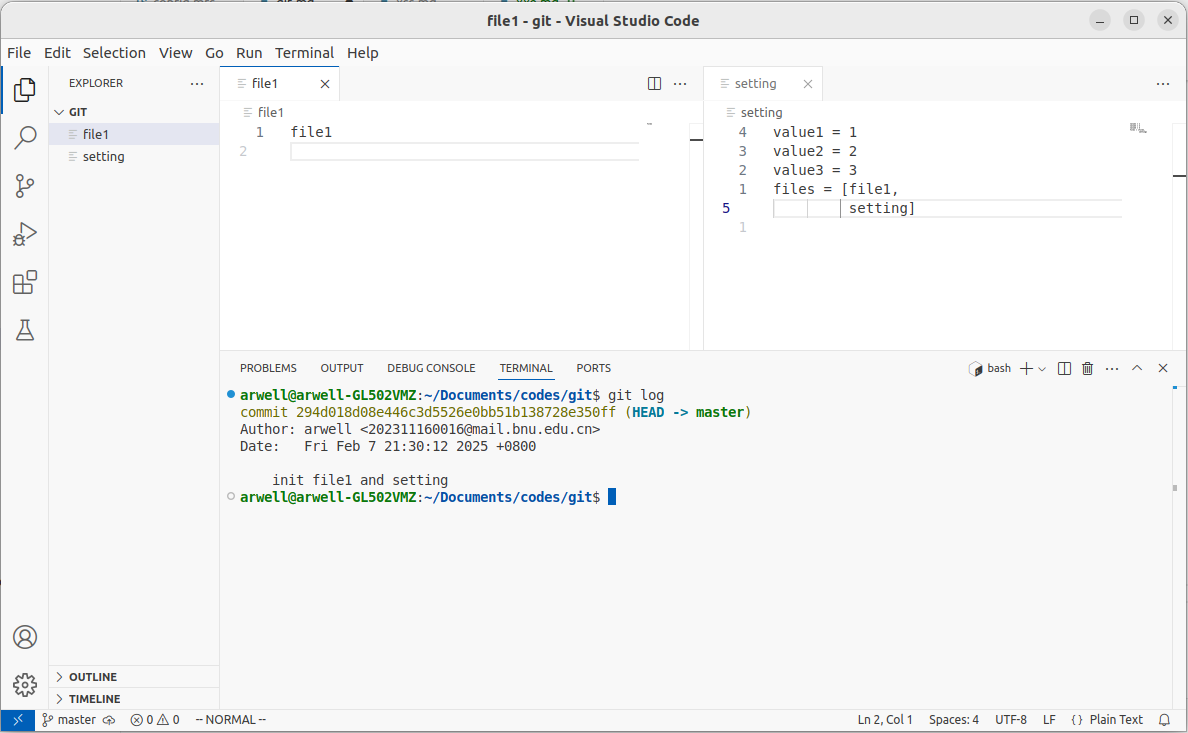
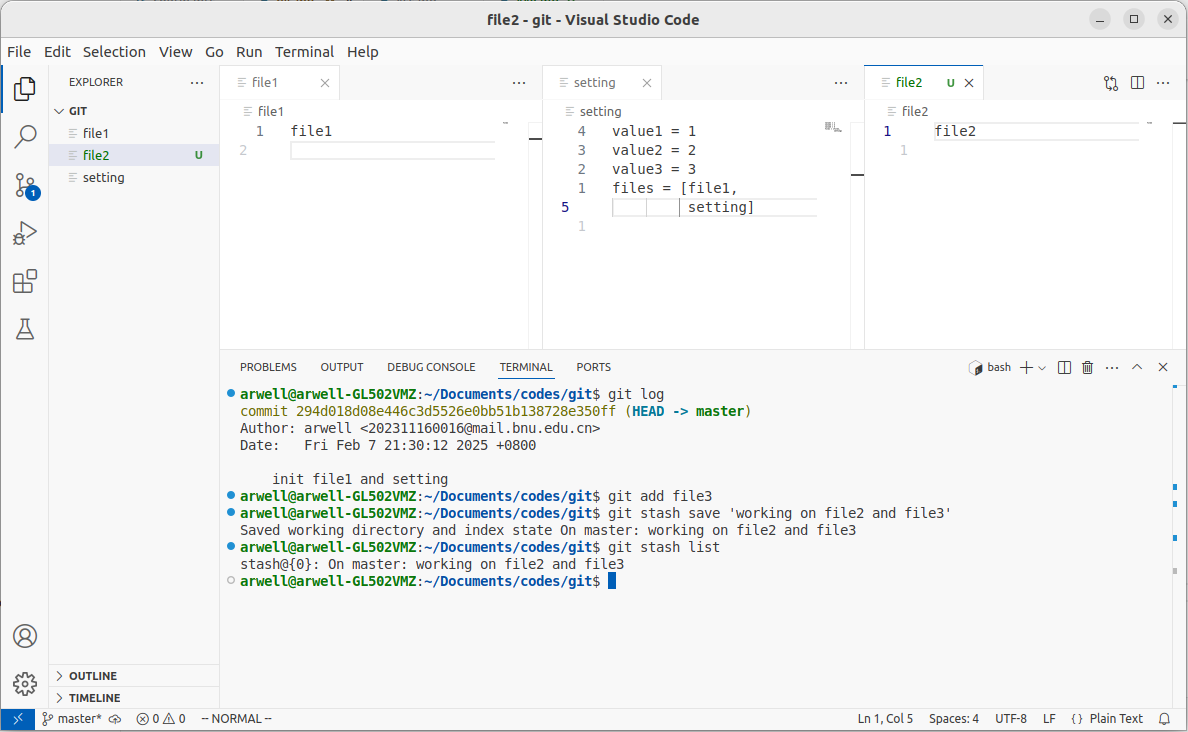
在工作文件夹初始状态下有 file1 和 setting 两个文件
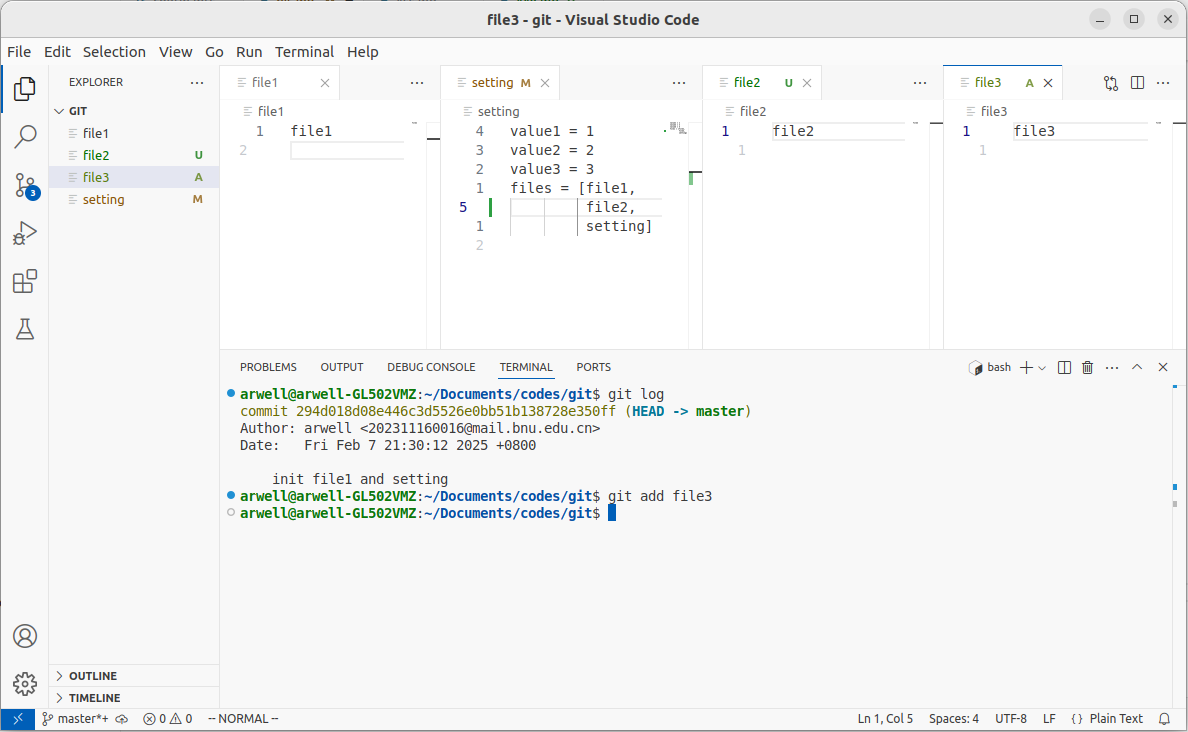
当前正在新建 file2 和 file3 工作,并把 file3 提交到暂存区
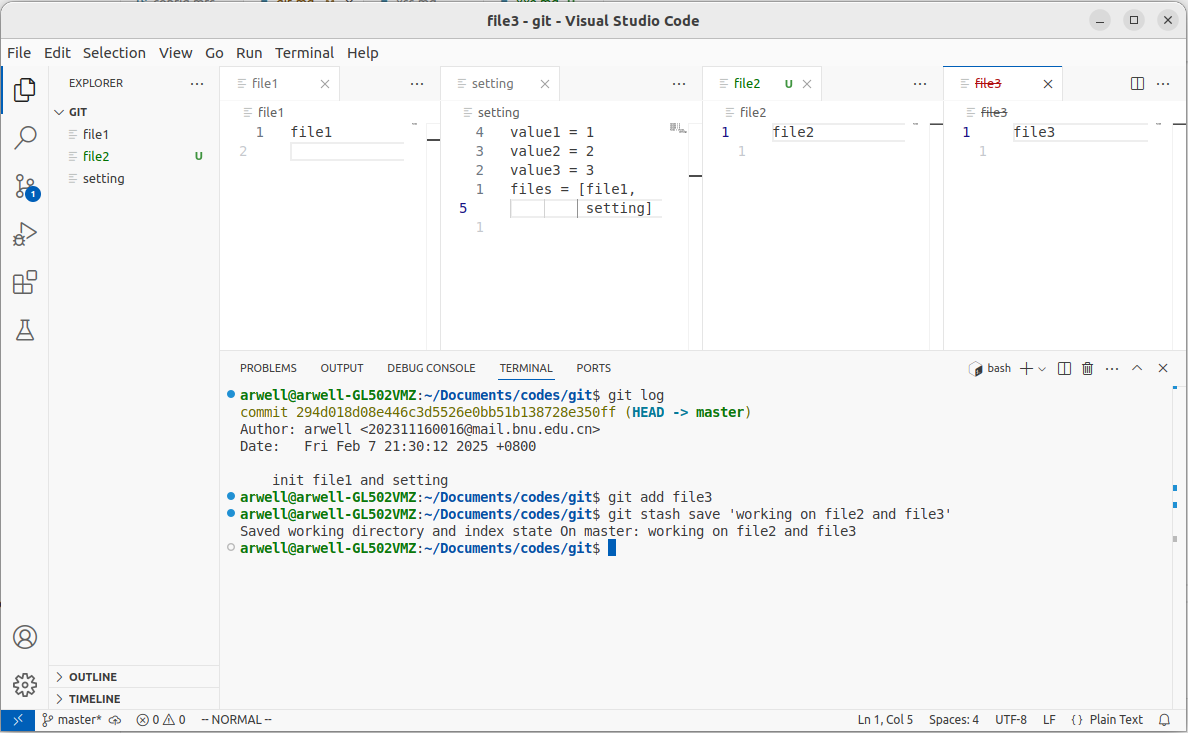
通过命令 git stash save 'working on file2 and file3' 将当前工作区和暂存区的更改暂存在 stash@{0} 中
可以通过命令 git stash list 进行查看
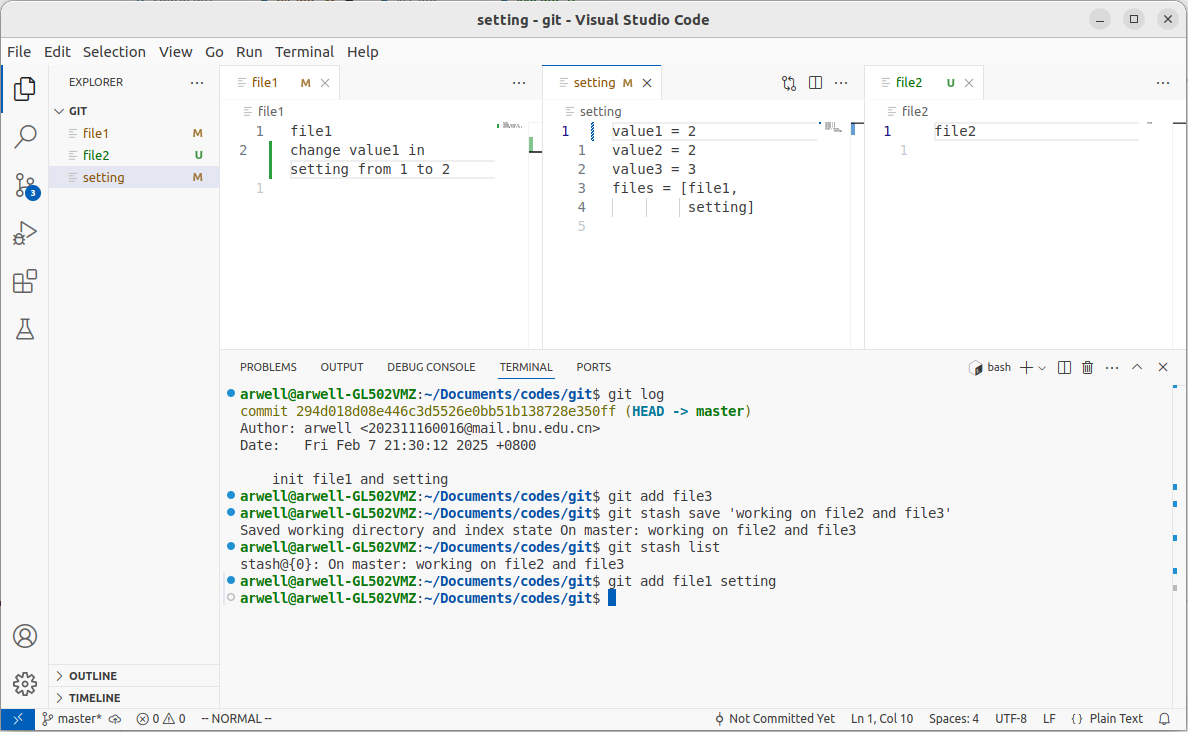
然后可以进行别的工作并提交 commit
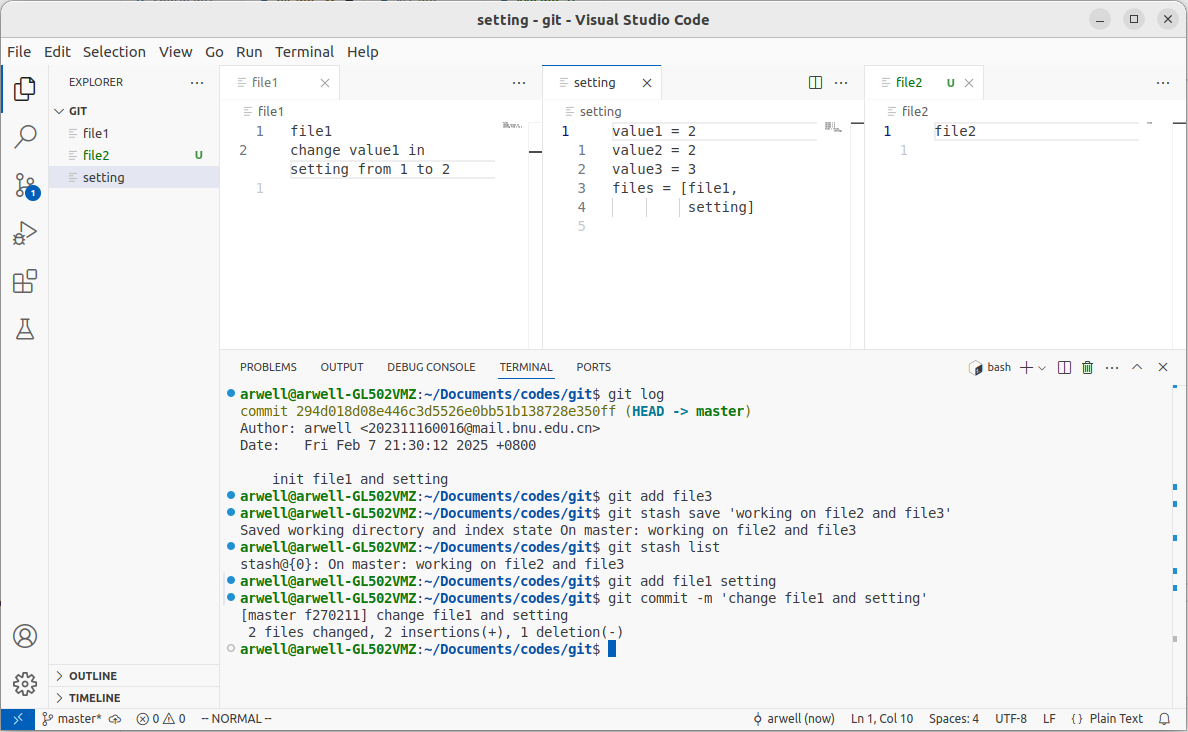
然后使用 git stash pop 将 stash 列表中的第一个弹出,同时删除列表中对应内容
更保险的做法
如果想要保留列表中对应的内容,使用 git stash apply ,之后再使用 git stash drop 进行删除。
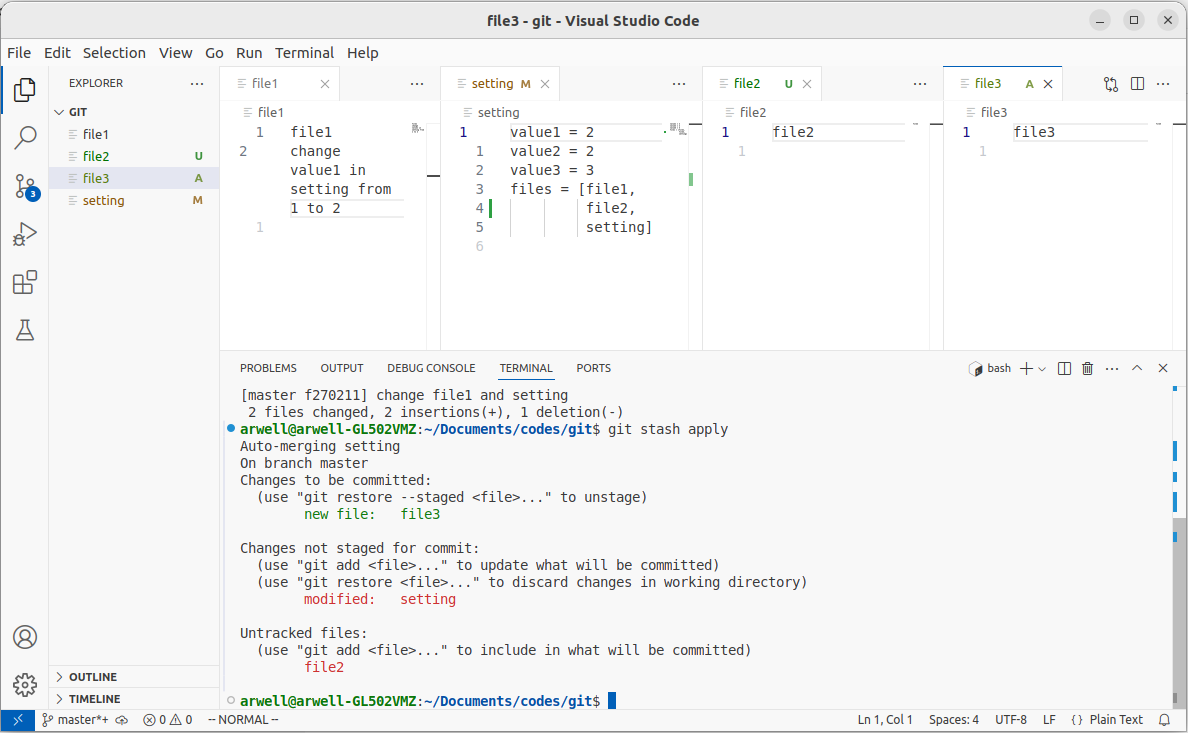
则工作区内容恢复到原先的状态。
总结
先 git stash [save 'message'] 保存当前工作区和暂存区状态, 完成其他工作并 commit 之后通过 git stash pop 恢复。